Introduction
In this section we will guide you through getting your membership.
As a reminder, this means paying your USPA dues and thus being a member for 12 months.
Then we will cover some specific points of your USPA page, such as instructor courses and licenses.
Become a USPA member: get a Membership
You need to become a USPA member and get a member number: MEMBERSHIP.
Registration is valid for 12 months.
Once you are registered and have paid the annual fee, your “Membership” will be active.
It looks like this: # xxxxx (a # followed by 6 digits).
Instructions:
Click on REGISTER

Enter your first and last name as shown below:

Enter your contact details as shown below:
Note: dates are in month/day/year format

You have now reached your profile page.
You can fill in all the sections if you wish.
Then click on the tab membership

Edit preferences.
To receive your card by post, everything must be green on the right.
Click on Apply

The screen should look like this
Click on Annual new member
Then NEXT

Click again on NEXT

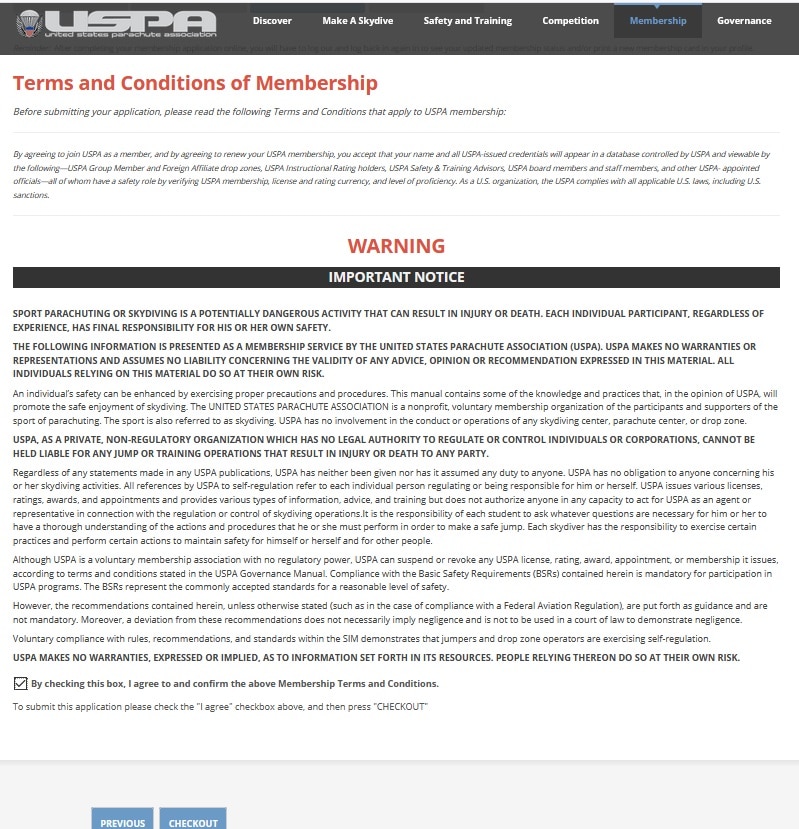
Read and accept the terms, then click on Checkout
All that remains is to enter your payment information
Fill in the form with your payment details, then confirm

Getting your licenses
With the new USPA tool, almost everything can be done online, including your licenses.
EXPLANATIONS:
Once registered and your membership is active, go to the tab CREDENTIALS
Sometimes you have to wait a few minutes, log out and log back in to see the active status.
On this page you can see all your licenses and your instructor ratings.
On the right you can see the status of your membership: here the status is valid (current) until March 31, 2022.
From there, 2 possibilities:1/ Licenses
2/ Instructional ratings

If you clicked on “Licenses” you will get the following screen.
You will find the status of all your licenses and the items to validate.


Finally, the link to take your license quiz may be displayed, only if it is to take the exam (maximum 2 attempts per day and supervised exam!)

Becoming an Instructor
As mentioned above, it is almost possible to do everything online on the USPA site.
For instructor ratings, you can validate the prerequisites.
The prerequisites can be divided into two parts:
1/ prerequisites concerning, for example, the number of jumps and licenses
2/ training prerequisites, such as having taken part in a first-jump course, having supervised students…
Before coming to the course
Once on the page Credentials of your profile, click on MY COURSES in blue on the right.
On this page you can see the courses you are enrolled in at the bottom right.
You can take the quiz by clicking on the pen “Take pre-course exam”

Prerequisites
On the previous page you can also check your prerequisites for the instructor courses.
To do so, simply click on “View my pre-reqs rating course” and you will arrive on this page
